
What to do if you cannot connect to MillenVPN Native OpenConnect
Please try this procedure if your VPN connection does not work properly with MillenVPN Native OpenConnect.
(1) When one of the following errors occurs
If you are experiencing any of the following errors, please check the link.
- Secure Client (Connection attempt denied by the secure gateway. A new connection attempt to the same or another Secure Gateway requiring re-authentication is required.)
- OpenConnect-GUI connection screen does not appear, application does not open
(2) When the above does not apply and connection is not possible
There have been many cases of connection failures due to incorrect user name/password or server address entered during setup.
Please refer to the following to confirm that the correct information has been entered.
How to check user name, password, and server address to connect to
1.My PageLog in.
2. Click on Services.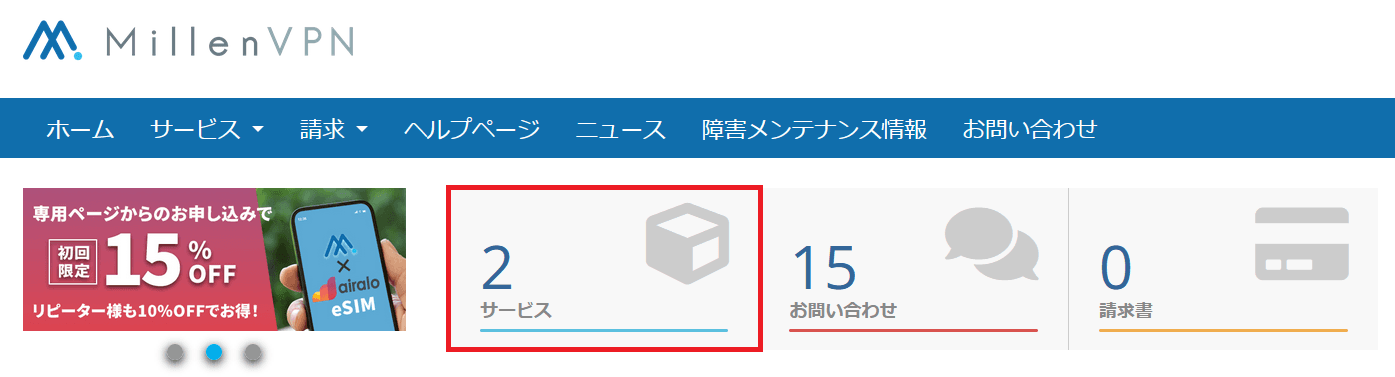
3. Click on MillenVPN Native (free option).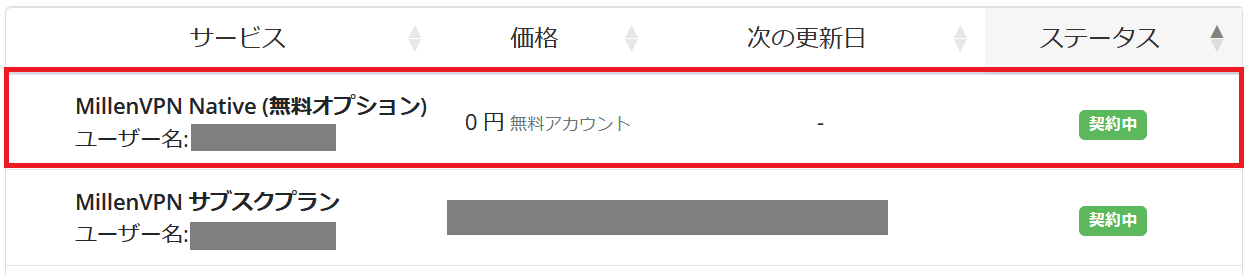
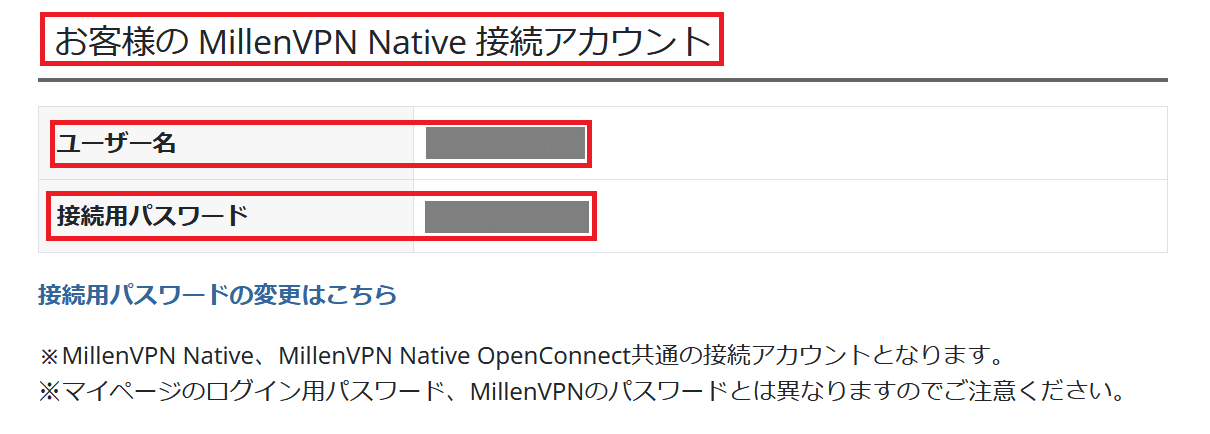
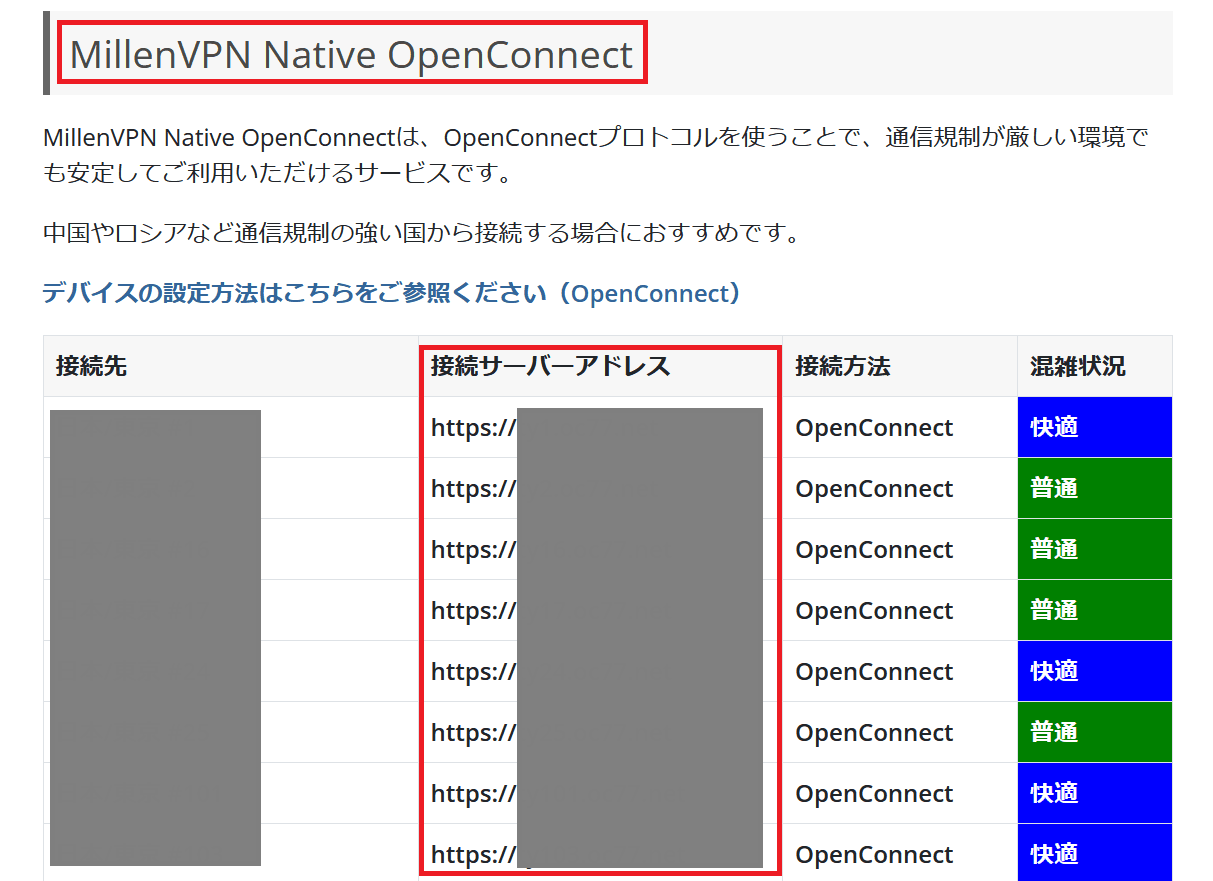
4. The user name, password, and server address to connect to will be displayed in the page opened in step 3.
[Notes.
Manual input is prone to capitalization errors and extra spaces, so please use the following format whenever possible.Copy and paste inputPlease do so.
We have received many cases where the addresses of "MillenVPN Native" and "MillenVPN Native OpenConnect" have been entered incorrectly. Please be sure toServer address of "MillenVPN Native OpenConnectcorrectly.
▼ User name and password
▼ Connection server address
(3) When there is no error in the input information but the connection cannot be established
Please try the following four points.
1. Change the server to connect to and see if it is possible to connect.
HerePlease check the destination server of MillenVPN Native OpenConnect according to the procedure in the following section, change the server address to a different server address from the currently set destination server address, and check if it is possible to connect.
2. Whether it is possible to change the communication line and connect
Please verify whether you can connect while connected to a different communication line than the one currently in use (e.g., connecting to a different Wi-Fi network, connecting without being connected to Wi-Fi).
3. Stop the security software and see if the connection is possible.
If you have security software installed, please verify whether you can connect while the security software is disabled.
4. Reboot the device and reinstall the application to see if the connection is possible.
Please note that the information you confirmed at the time of applicationImportant Pre-Contract InformationAs we have explained in the following section,If you wish to use the service from a country with strict communication restrictions, such as China, it may be difficult to connect because the availability of connection depends on the international situation and the connection source.We appreciate your understanding in this matter.
If the above measures do not resolve the issue, we will investigate the cause on our end, so
We apologize for the inconvenience, but please include the following information:Contact FormPlease feel free to contact us.
1.Environment for use
Service attempting to connect: MillenVPN Native OpenConnect
OS and version of your device (e.g. iOS 15 / Windows 11):
The name of the country where the VPN will be used:
Usage of VPN:
2. Provide screen shots
A screenshot of the screen where the user name, password, and connection server address are entered
Screenshot of the screen showing the error message
3. Isolate the situation
Are you currently connected to other VPNs (MillenVPN app or other VPNs): (Yes/No)
Do you want to change the server to which you are connected to improve the situation?
Do you want to change communication lines to improve (e.g., different Wi-Fi or mobile communication): (Yes/No)
Do you want to stop the security software to improve the situation: (Yes/No)
Does restarting the terminal improve the situation: (Yes/No)
Does reinstalling the app improve the situation: (Yes/No)