
How to get MillenVPN logs [Mac].
When asked by support to submit MillenVPN diagnostic log files, please follow the steps below.
*Please note that we will not be able to respond to any diagnostic log files sent without a request from Support.
※If you encounter any issues while using our service, please firstContact FormPlease contact us.
Logging Procedure
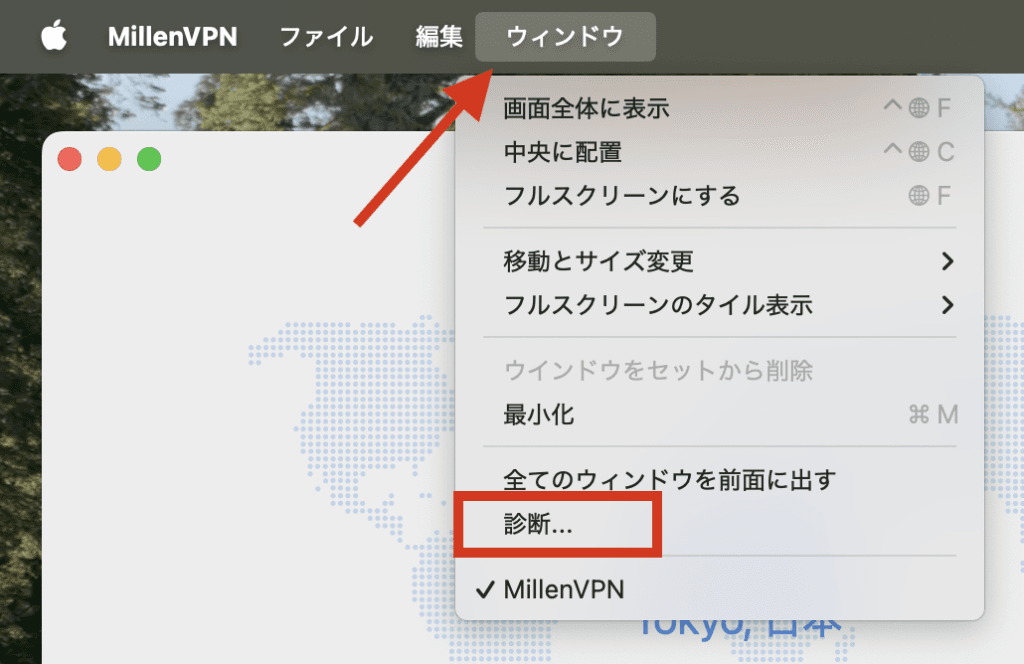
(1) Please login to the MillenVPN application,
Click on Window > [Diagnostics].
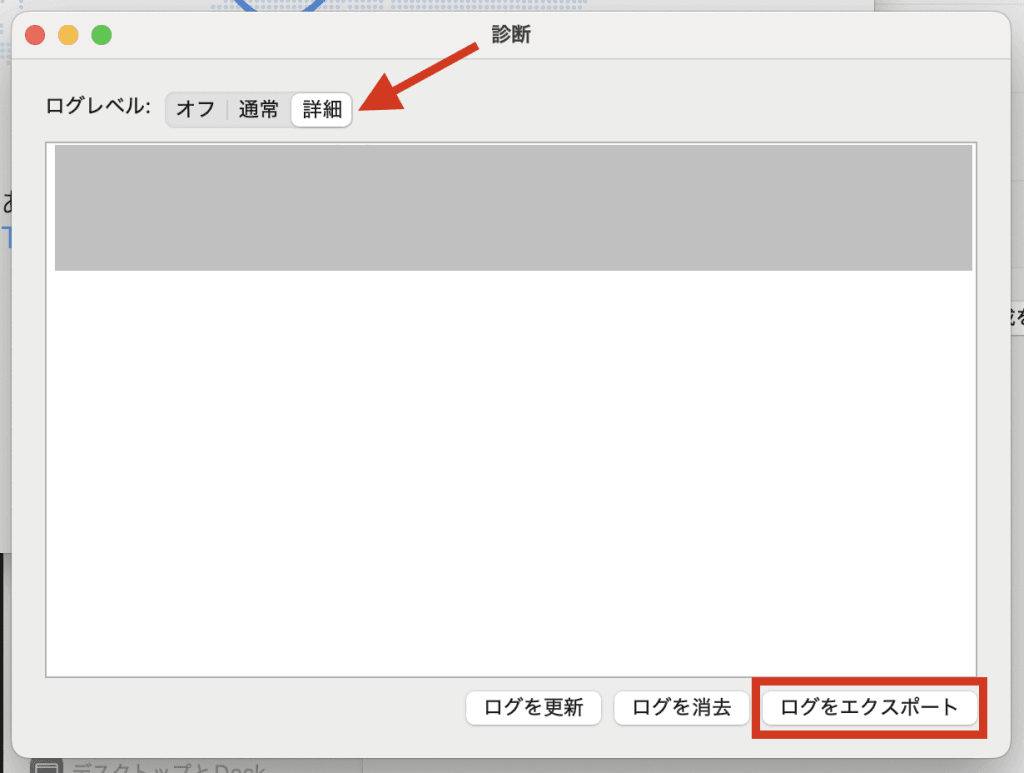
Select the details and click on "Export Logs".
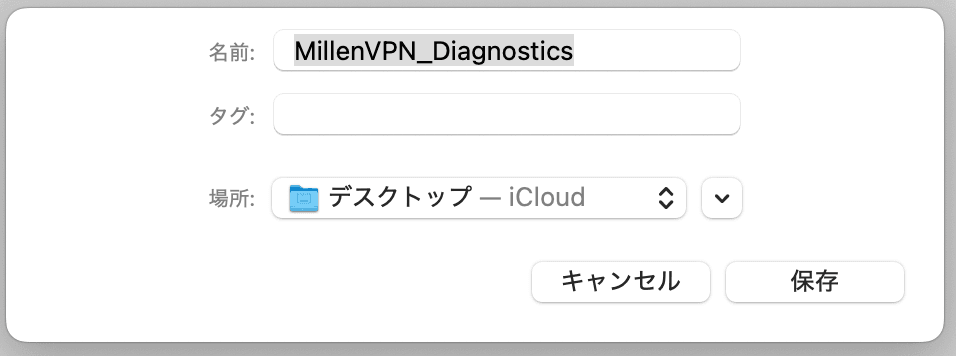
(3) Save the diagnostic file.
(4) From MillenVPN's My Page, please open the inquiry you have been asked to submit.
(5) Please click [Reply] when you open your inquiry to see your inquiry information.
(6) Please fill out the reply form, which is located at the bottom of the screen.
Click [+Add More] once to increase the number of spaces available for attachment.
Click on "Select File" for attachments.
If you are able to attach the file, please click "Send Inquiry" to complete the process.