
How to Increase the Account Limit for MillenVPN Dedicated Servers
The Enterprise Plan for MillenVPN dedicated servers offers an option to add additional paid accounts beyond the standard limit.
If you wish to increase your account limit, please apply by following the steps below.
※This option is not available on plans other than the Enterprise Plan.
How to Add More Accounts
① My PageLog in and click "Services."
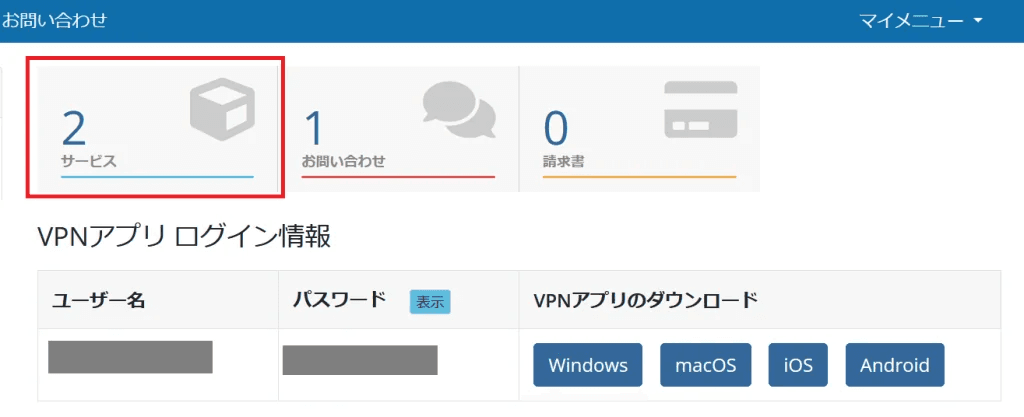
②「MillenVPN Enterprise Connection InformationClick "".

③ Within the action, the "Additional OptionsClick "".

④ Enter the number of accounts you wish to add in the red box, then click "Continue."
※You can add up to 1,840 accounts.

⑤ This is the final confirmation screen.
Confirm the number of accounts to add and the amount. If everything is correct, click "Continue" to complete payment, and the account limit will be increased.
※If you select bank transfer as your payment method, you must transfer the amount specified on the issued invoice.

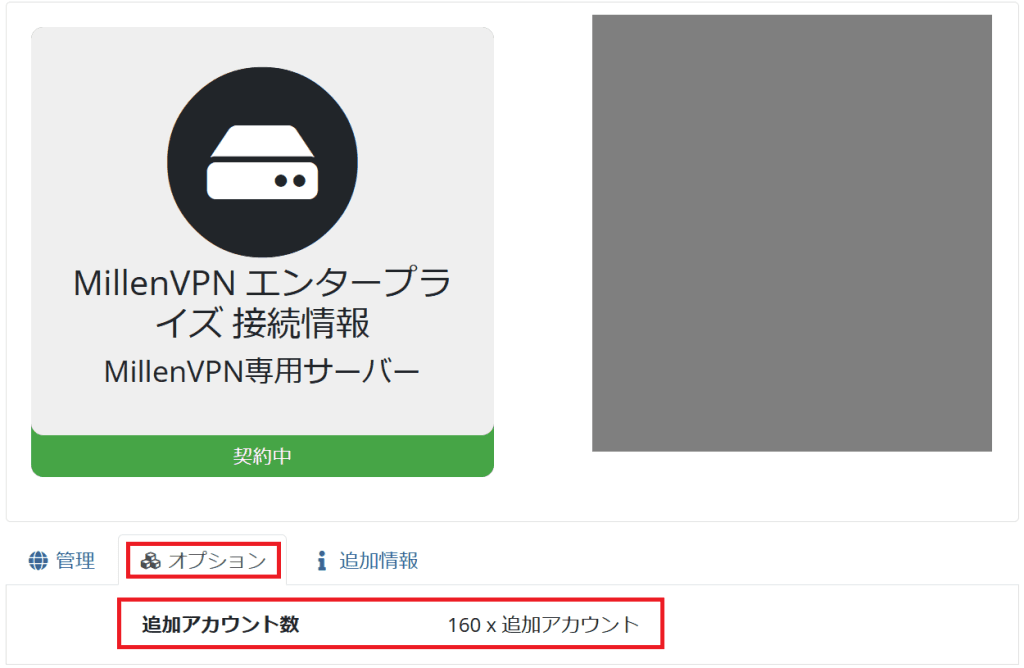
⑥ The number of added accounts can be confirmed by clicking "Options" within "MillenVPN Enterprise Connection Information".
How to Reduce the Maximum Number of Accounts
If you wish to reduce the maximum number of accounts you can add, you cannot complete the procedure while your current number of active accounts exceeds the new limit. We apologize for the inconvenience, but as a preliminary step,This pagePlease delete any unnecessary accounts following the procedure before proceeding.
The steps from here onward are the same as those for "Adding Account Limits."
By entering the reduced account count in Step 4 and proceeding with the procedure, you can reduce the maximum number of accounts.
※No refunds will be issued for the remaining period of service upon cancellation.
※Please note that deleted accounts cannot be restored.