
How to Log Out of the MillenVPN App
Here's how to log out of the app.
To log out,This varies depending on the device you are using.
For Windows
Click the red-framed area on the left side of the app screen to log out.

For Mac
When the app is running, "Millen VPN" will appear at the top of your desktop screen.
After clicking "Millen VPN," click "Logout" in the menu that appears.

For iPhone
Tap the Settings (gear icon) at the bottom of the app screen to display the following screen.
Tap the area within the red frame to log out.

Android
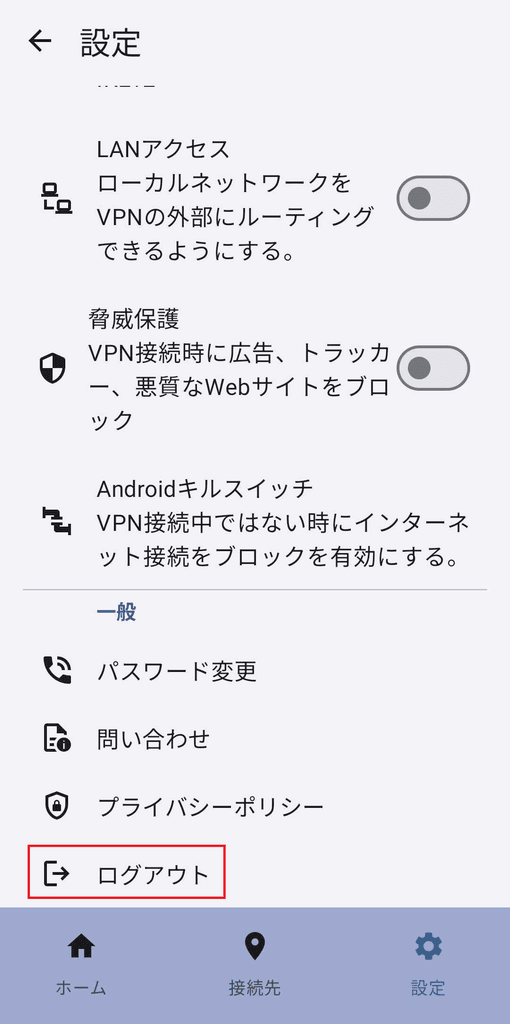
Tap the Settings (gear icon) at the bottom of the app screen to display the following screen.
Tap the area within the red frame to log out.
Android TV / Fire TV
Tap the Settings (gear icon) at the bottom of the app screen to display the following screen.
Tap the area within the red frame, then tap Log Out on the confirmation screen to log out.
